e Shram Card Download 2026- Registration, Status Check (Apply Online)
e Shram Card Download : Suppose you are working at a construction site, or in a cottage industry from home, or doing street labour – these are known as Unorganised Workers Identity Card. The Government of India started the e-Shram Card scheme keeping in mind the problems of unorganised workers.
It is an electronic document issued to unorganized workers in India by the Ministry of Labor and Employment, Government of India. The e-Shram Card provides unorganized workers with a Universal Account Number (UAN). The card’s primary purpose is to promote welfare in both the organized and unorganized sectors.
What is e-Shram Card?
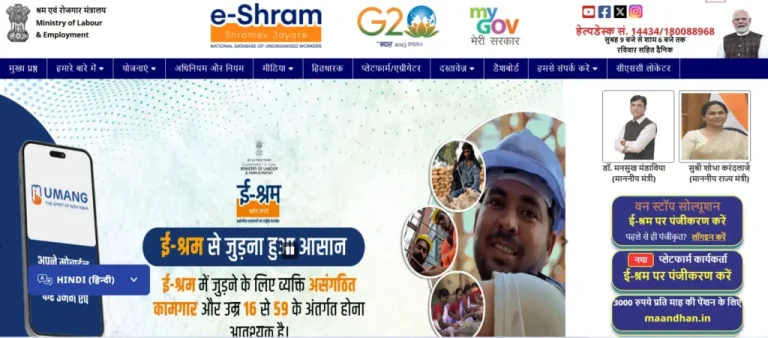
E-Shram is a comprehensive national database of unorganized workers launched by the Ministry of Labor and Employment. The e-shram card aims to facilitate the delivery of welfare benefits and social security measures to workers in the unorganized sector in India. The main objective of this portal is to register and identify unorganized workers so that they can access the benefits of government schemes.
Eligibility for e-shram card
- Any employee who is unorganized
- Whose age is at least 16 years and maximum 59 years
- who is a resident of India
- Not be an income tax payer.
E Shram Card Registration Process
- First of all visit the official website of e Shram Portal eshram.gov.in .
- After visiting the website, the option of Register on e-Shram will appear on the home page, click on it.
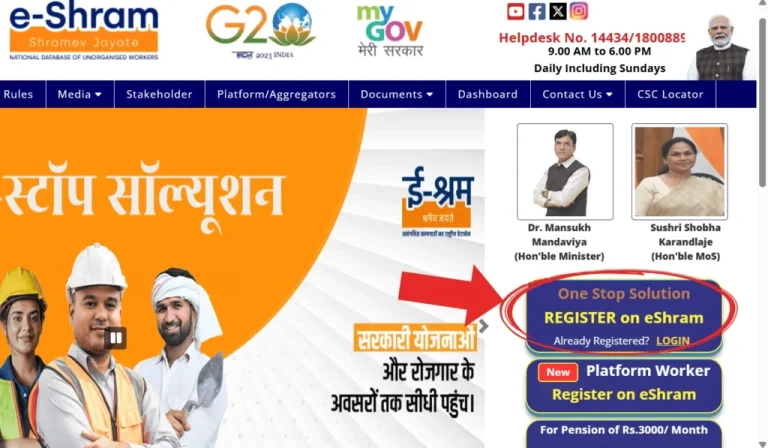
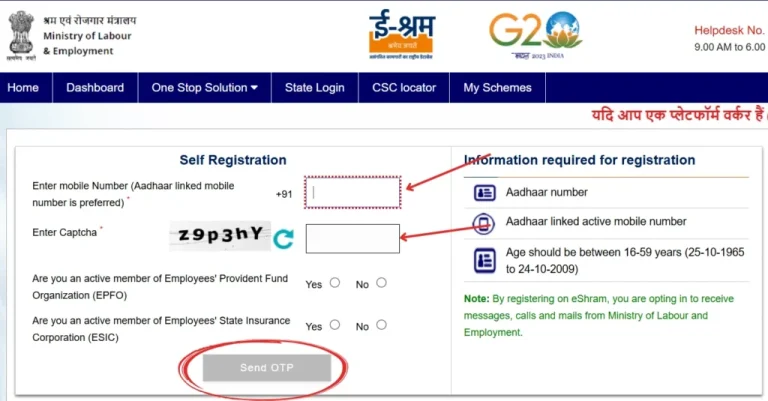
- Now enter your Aadhaar linked mobile number and captcha, after this answer whether you are EPFO or ESIC member or not and click on “Send OTP”, after this OTP will come on your mobile number, enter it and
submit.
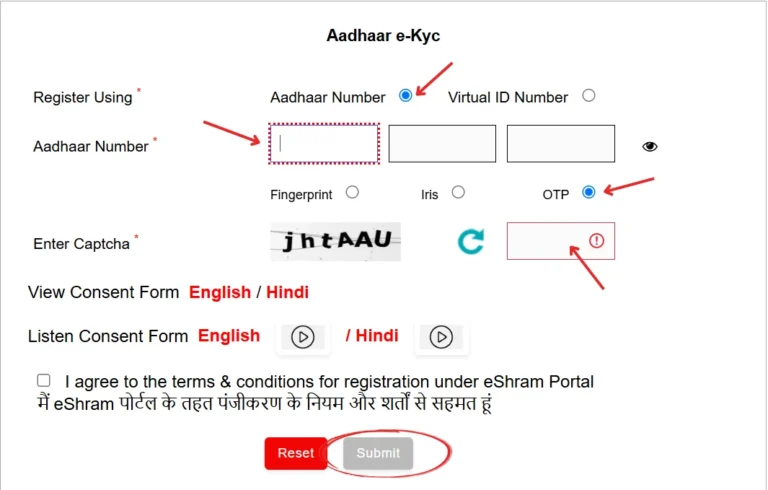
- On the next page, enter your Aadhaar card number, then tick the Terms & Conditions box below and click Submit. You will receive another OTP on your Aadhaar card’s linked mobile number. Enter it and click Validate.
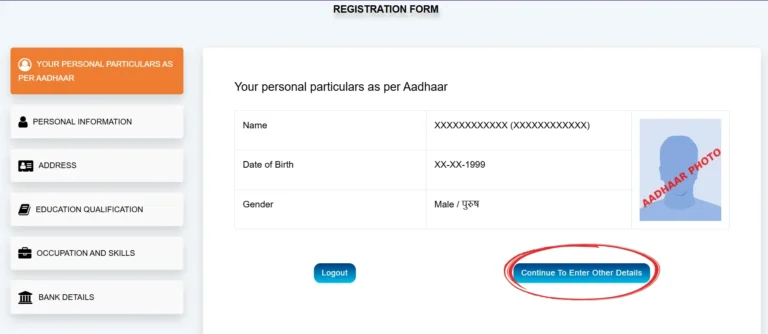
- The registration form will then open on your screen. You must fill in all the information requested in this form correctly. Some information will be pre-entered. Now, fill in the remaining details, such as:
- Personal Information
- Address
- Education Qualification
- Occupation and Skills
- Bank Details
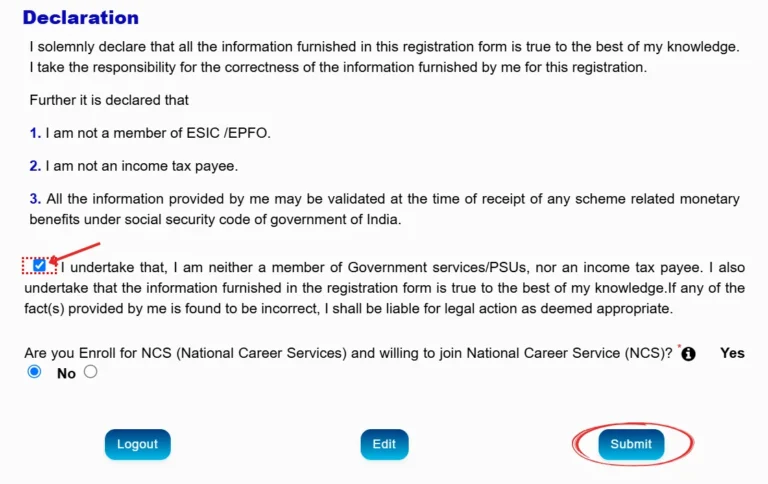
- After filling all the information, read the Self Declaration carefully and tick on Consent below and click on Submit.
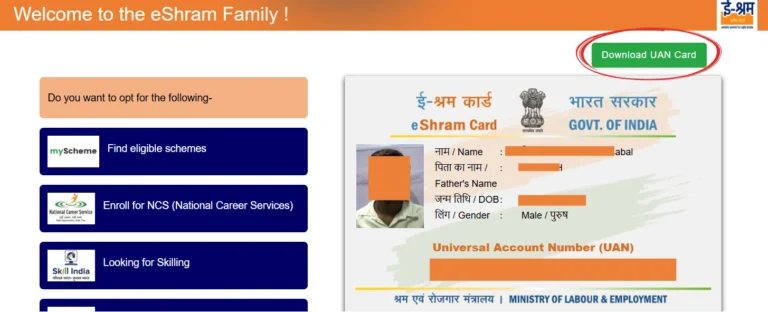
- Your labor card will now be generated, and you will receive a 14-digit UAN number. If you want to download it, click on ” Download UAN Card .”
Documents required for registration
- Aadhar card
- Passport size photo
- Mobile number (linked to Aadhaar)
- Savings Bank Account Number
Download e-Shram Card from Aadhaar, Mobile
- First of all visit the official website of Shram Portal eshram.gov.in .
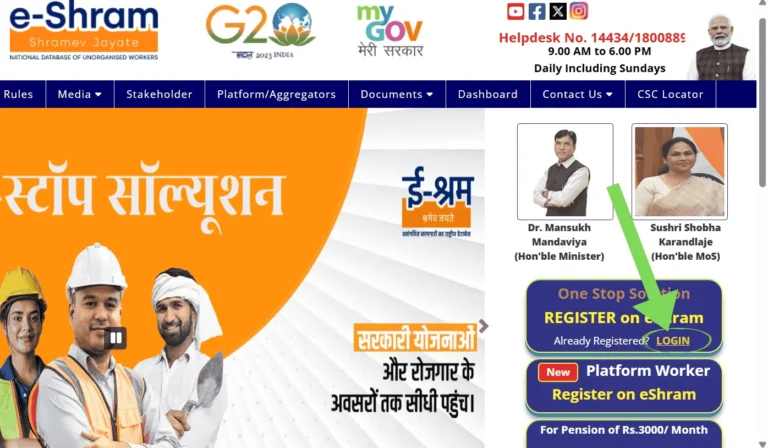
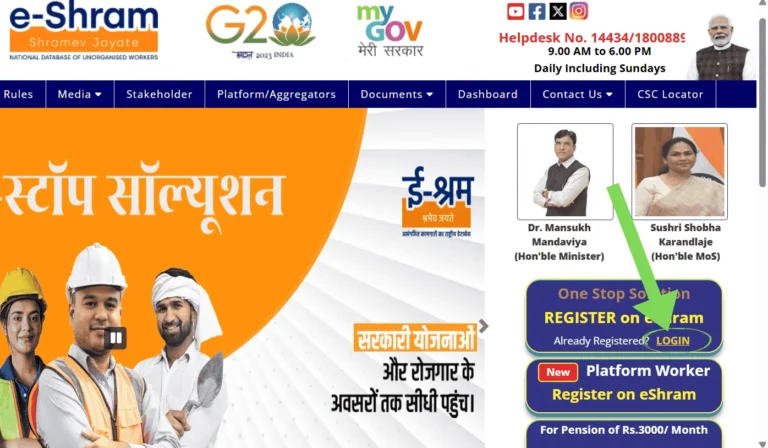
- Click on the Login option on the home page of the website .
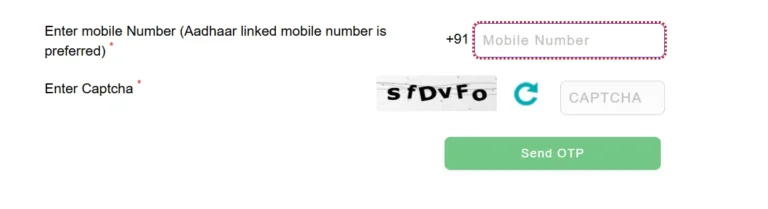
- Then, enter your Aadhaar-linked mobile number and the captcha code, then
click the SEND OTP button. Then, enter the OTP received on your mobile number.
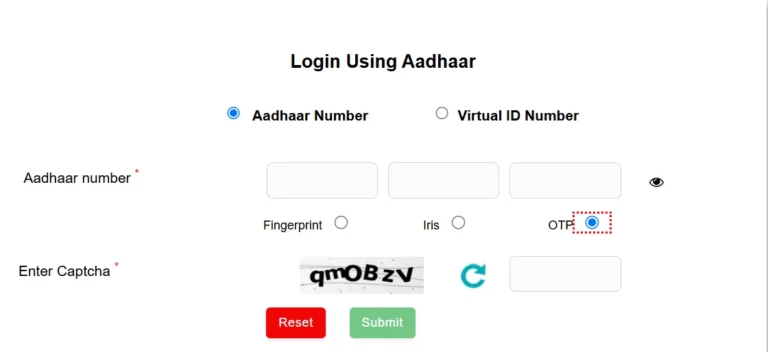
- Now the page “ Login Using Aadhar ” will open, using your Aadhar and mobile you will now be able to download the e-Shram card.
- Now enter your Aadhaar number here and select the OTP option and enter the captcha and click on the submit button.
- After that enter the OTP received on your mobile.
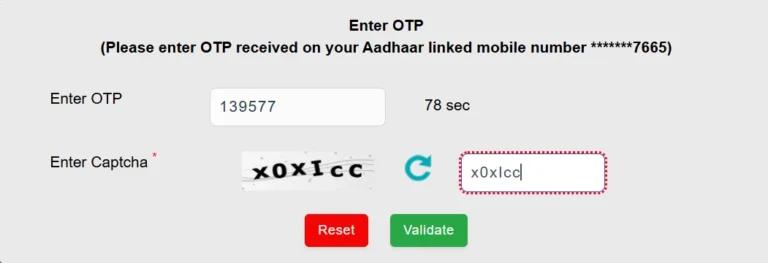
- Now you will be logged in to your profile, now you can see the e Shram Card on your screen
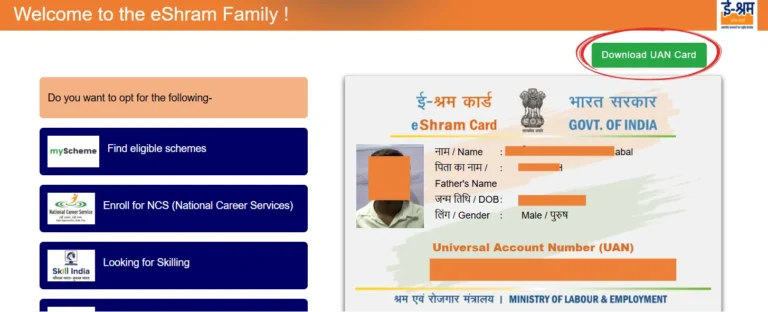
- To download e shram card, click on Download UAN Card option.
Download e Shram Card from UAN number
- To download e Shram card by UAN number, visit the official website eshram.gov.in .
- Click on the “Login” option on the home page
- After this, click on Login Using UAN under One Stop Solution menu.
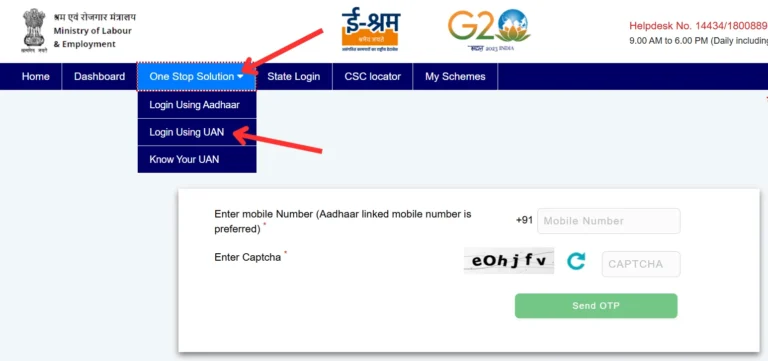
- Enter your UAN Number, Date of Birth and Captcha here and click on Generate OTP button.
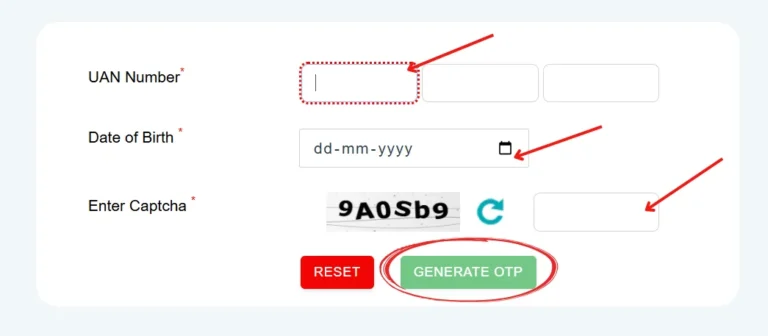
- After that enter the OTP received on your mobile number
- Now you will be logged in to your profile, now you can see the e Shram Card on your screen
- To download e shram card, click on Download UAN Card option.
Common problems and solutions
When you try to download or register, you may encounter the following issues:
- OTP not received – Mobile network, Aadhaar-mobile link problem, or server slowness.
- Forgot UAN – Use the option to login with Aadhaar.
- CAPTCHA error – Please enter letters/numbers correctly, case-sensitively.
- Website not opening – Server maintenance or heavy traffic may be occurring, please try later.
- Mobile number not linked to Aadhaar – You will have to link it first, only then will the OTP work.
How to Check E-Shram Card Status (2026)
- First of all you go to the official website of e Shram eshram.gov.in .
- After visiting the website, click on the LOGIN link next to Already Registered? on the homepage.
- Now enter your Aadhaar linked mobile number and the captcha. Then click on the Send OTP button.
- Now enter the OTP received on your mobile number and click on submit.
- After this enter your Aadhar number and select OTP option, fill the captcha code and click on the Submit button.
- Now verify again with OTP.
- Now tick on “I Agree” and submit.
- If your Shram Card is already made then you will see this message – “This Aadhaar is already registered on eShram portal”
- After this you can download e shram card by clicking on Download UAN Card option.
Benefits of e-Shram Card?
- If the cardholder dies, his family can get assistance of Rs 2 lakh and in case of disability, financial assistance up to Rs 1 lakh can be provided.
- Under the Pradhan Mantri Shram Yogi Maandhan Yojana, when the worker reaches the age of 60 years, he gets the benefit of monthly pension of ₹3000.
- The government connects unorganized workers with training or employment opportunities according to their skills.
- In case of any disaster or crisis, registered workers get the benefit of financial assistance.
Purpose of e-Shram Card
- To give an identity to the workers working in the unorganized sector of the country.
- Benefits of all the schemes run by the government are given.
- Insurance, accident assistance and government benefits are provided